
Thanks:
0

HaHa:
0
-

HAve not actually tried it from my phone, but suspect it's the same as a computer. When on the post ready to place pic in, click on Go Advanced, then scroll down and you will see Manage Attachments so click on that, a window will come up and select Add Files, Having a little hard time remembering from here, but then you will pick what file you want (Your Picture) and add it in. Then you can place it in the post and that picture will stay there for you use later if you want again. I hope you can figure out the last couple steps and shouldn't be too hard from here.
Skip
Peak Vise Dealer
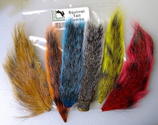
Tying Materials, Chenille and Hackle
For Pictures of my Crystal, Nylon/Rayon or
New Age Chenille Please PM Me! Also I
have the Saltwater Neck Hackle and some
colors of Marabou plus other things!
Tags for this Thread
 Posting Permissions
- You may not post new threads
- You may not post replies
- You may not post attachments
- You may not edit your posts
-
Forum Rules
BACK TO TOP


 Likes:




 Reply With Quote
















