Reply With Quote
OK I figured it out. Thanks anyway.

 Likes: 0
 Thanks: 0
 HaHa: 0
 Slabmaster II

 Advertisement
For some reason when I use the forum and click on a link. Advertisement starts at the bottom of the screen how do I stop this?
Slabmaster II
 Crappie.com Legend
what is the answer??
GO BIG ORANGE !
I meant to behave, but there were just way too many other options available at the time.
Slabmaster II
Even if you turn pop-up blocker on, Internet Explorer won't block pop-ups from sites that are in the Local intranet or Trusted sites security zones. If you want to block all pop-ups—including pop-ups on Local intranet or Trusted sites—you'll have to change the blocking level.
1.Open Internet Explorer by clicking the Internet Explorer icon on the taskbar.
2.Click the Tools button Tools, and then click Internet options.
3.On the Privacy tab, under Pop-up Blocker, click Settings.
4.In the Pop-up Blocker settings dialog box, under Blocking level, set the blocking level to High: Block all pop-ups (Ctrl+Alt to override).
5.Click Close, and then click OK.
 Crappie.com 3K Star General
Buy a membership and it work even better
All men are created equal, some work harder in the preseason.
Thanks to BnM PST, Midsouth Jig, Big River Marina
 Super Moderator
Ditto!Originally Posted by Gindog

Peak Vise Dealer
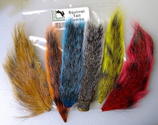
Tying Materials, Chenille and Hackle
For Pictures of my Crystal, Nylon/Rayon or
New Age Chenille Please PM Me! Also I
have the Saltwater Neck Hackle and some
colors of Marabou plus other things!
Crappie.com Legend
Thanks.
GO BIG ORANGE !
I meant to behave, but there were just way too many other options available at the time.
 Founder Crappie.com Est.1996
Simply as an FYI and not for reasons to extort any money, I want to say that if you block the ads, you are not supporting the site in any way. Even I see the ads. I don't remove them for myself. Sometimes they are even interesting. In my opinion, having the ads show is not really that big a deal. But if you really don't like them, you can support the site and remove them by becoming a supporting member for a minimal donation. I'll step off soap box now, thanks for listening.
Oh and Merry Christmas.
Owner
"Wear your PFD" "No texting n driving" slab
Crappie.com members are the best
Family, Friends, Fishing and Fun
Slabmaster II
For the record .The advertisement I was referring to was while clicking on the forum to read a post a series of video's would start running at the bottom of the page very annoying .
Anyway I got that fixed and also I am Now a supporter of this forum. Merry Xmas Gary
Founder Crappie.com Est.1996
Thanks Gary. It is very much appreciated.
I'll look into those auto start ads, I don't like the ones start start up with sound at all. I thought I had turned them off with the google ad program I use, but I'll have to double check.
"Wear your PFD" "No texting n driving" slab
Crappie.com members are the best
Family, Friends, Fishing and Fun
Posting Permissions