Likes Likes:  0
Thanks Thanks:  0
HaHa HaHa:  0
Page 1 of 2 12 LastLast
Results 1 to 10 of 12

Thread: 898C SI and Crappie / Blue Gill fishing

  1. #1
    Join Date
    Jun 2011
    Location
    WI
    Posts
    2
    Post Thanks / Like

    Default 898C SI and Crappie / Blue Gill fishing


    I purchased a 898C SI unit last year and have it installed and working but I am having some issues identifying fish on my SI screens. I will see little white spots on the bottom views of the SI image that I think are panfish but I never see them suspended in the water coloum nor do they show up on my downimage view that is showing on the same screen.
    I am unsure if I have the unit misadjusted or what my issue is. I am looking for some advice on setting up the defaults on my SI to optimize it for Crappie.
    I have reset the unit to factory defaults and I have my side image range set down to 75' normally. I know fish are present because I can catch them but I never see them on the SI or Down image. I have sensitivity at factory defaults
    I do see larger fish like Walleye and Northern as arches ( am assuming they are fish) but if I turn on my fish ID I see no fish unless I am in shallow water with some lilly pads growing then I will see little groups of 2 or 3 fish in 2 to 4 feet of water but looking down into the water I cannot see the fish. I assume the fish ID is tagging the weeds.

    Am I expecting to much out of this unit when fishing for 8" to 14" crappie or should I be seeing them?
    My wife and I are seriously wondering if this SI unit is even working OK or not. I do not know of any other SI users in my area to share notes or settings with to see if it's me or the HB that is not working.
    Any advice would be appreiciated.

  2. #2
    Join Date
    Jun 2010
    Location
    MS
    Posts
    1,242
    Post Thanks / Like

    Default

    Toddah,

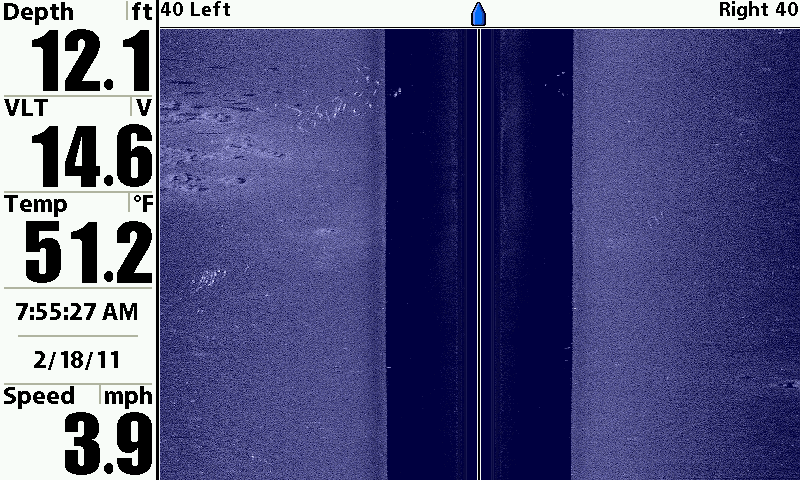
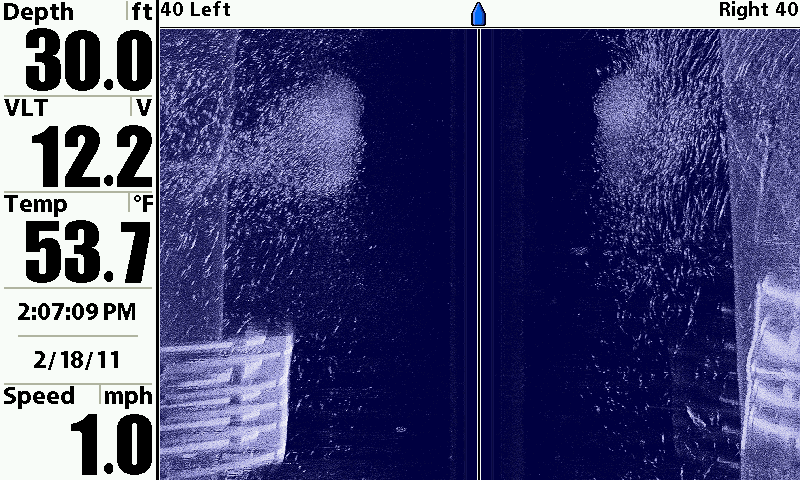
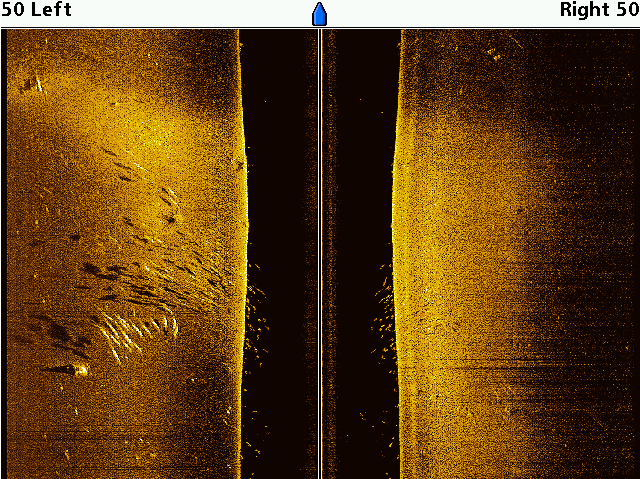
    You should be able to see the crappie. There are a few things you need to do in order to fine tune your 898 system. First and most important, your boat speed must equal your chart speed. You can set your chart speed from 1 to 10. So if you are going 3 mph set your chart speed to 3. This will keep things from distorting. You have to constantly change your chart speed to equal your boat speed. This will give you the best display not only on SI but on your 2D and DI. That is the most important setting.

    Next, your sensitivity can be adjusted to help make the fish pop out. The higher the sensitivity the more you will see. I have found that if I have my Si sensitivity on 12 then I must turn my Di sensitivity to about 16-17. Most of the time I have to have my DI sensitivity a good bit higher than my SI sensitivity.

    Also, you can scan an area then hit the cursor key (one of the arrow buttons that points up, down, etc) This will freeze your screen. Once your screen is frozen you can go through your settings like sensitivity, contrast, sharpness, color, etc... To see what makes the image clearer... I like to have my sharpness set on low or medium most the time. It really helps to see fish...
    Crappie


    Catfish


    Stripers


    DoubleG
  3. #3
    Join Date
    Jun 2011
    Location
    WI
    Posts
    2
    Post Thanks / Like

    Default Thank you!!!!!!!!!!!!!!

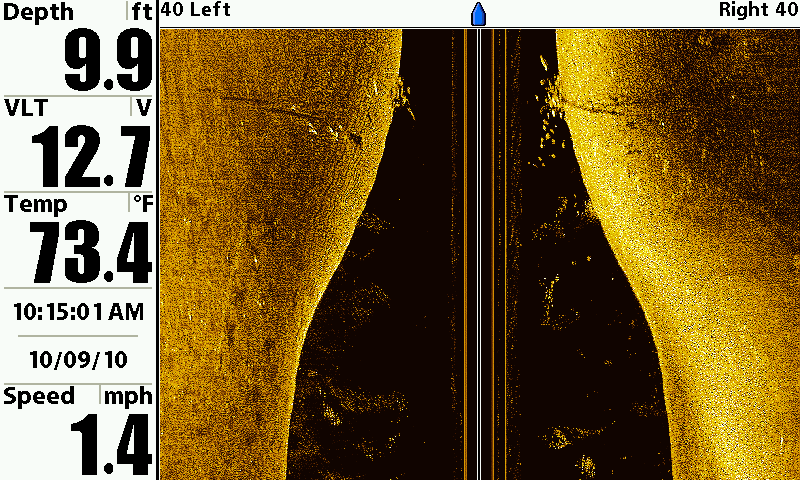
    I don't think I have cranked the sensitivity up anywhere near the numbers you have mentioned! I will have to give those higher numbers a try and see what it does for me.
    If I can get images like the ones you are showing me I will be doing a happy dance in the boat!
    That is what I thought I would be seeing when I purchased the unit but I guess I have been to shy about cranking the settings up to high.

    THANKS AGAIN!!!

  4. #4
    rnvinc's Avatar
    rnvinc is offline Crappie.com 2016 Man of the Year * Member Sponsor
    Join Date
    Sep 2008
    Location
    West Ky
    Posts
    13,291
    Post Thanks / Like

    Default

    I leave "SI Enhance" up on my screen at all times I am using SI....

    This enables me to constantly adjust the sensitivity to get the best images compared to the water depth or clarity....(depth and clarity will definately change constantly thru the day)...

    As the water gets deeper.......the screen will get darker....therefore raising the sensitivity will brighten the screen...
    As the water gets shallower....the screen will get brighter..therefore lowering the sensitivity will darken the screen...

    Although adjusting the Contrast up to medium or high will sorta pixilate the image...a higher contrast wil make the fish pop out of the image...

    I use the 800kHz frequency whenever the water conditions allow... to give more detail to the image.....

    Try this test....

    Take a shapshot of any interesting bottom feature....

    Open the snapshot in the "Snapshot and Recording View"....

    Then play with all the different settings and views to see how the image is affected by the changes....

    The unit only recognizes the "raw" sonar data from the returning ping....the settings in the unit are different filters and such for you to adjust the image to your individual taste....

    Rickie
    www.podunkideas.com <--Click here
    ------------—————
    https://www.crappie-gills-n-more.com/
    https://cornfieldfishinggear.com/

    ------------------------>> Pro Staff Sonar Advisor

  5. #5
    rnvinc's Avatar
    rnvinc is offline Crappie.com 2016 Man of the Year * Member Sponsor
    Join Date
    Sep 2008
    Location
    West Ky
    Posts
    13,291
    Post Thanks / Like

    Default

    2 other things you can do to make smaller fish show up better.....

    Lower the SI range ..
    Switch unit to show left OR right side only....

    Rickie
    www.podunkideas.com <--Click here
    ------------—————
    https://www.crappie-gills-n-more.com/
    https://cornfieldfishinggear.com/

    ------------------------>> Pro Staff Sonar Advisor

  6. #6
    Join Date
    Dec 2009
    Location
    LA
    Posts
    32
    Post Thanks / Like

    Default

    Thanks

    Very helpful info. Had my 998 for over a year but havent had a lot of time to use it. These tips are very benefical.
    Thanks to all again.
    chickenperch

  7. #7
    Join Date
    Jun 2010
    Location
    MS
    Posts
    1,242
    Post Thanks / Like

    Default

    No problem man... I also run the 800 khz for Side Imaging... It gives the best clarity to me. I also make my range about twice the depth or three times the depth. If your range gets too wide it is hard to see the small fish. My range is usually set to 35-55 feet depending on my depth. I usually fish water from 10 - 20 feet deep.

  8. #8
    Join Date
    Jan 2011
    Location
    Sussex, WI
    Posts
    124
    Post Thanks / Like

    Default

    I have SI and was having trouble locating fish this weekend. Lots of time it's just finding structure that holds fish rather than the fish themselves - for bass anyway. I have seen crappie on there, but usually when they are suspended in deeper water. Upping the sensativity will help, matching boat speed to scroll speed will help too.

    Welcome to crappie.com from another Wisconsinite!

  9. #9
    Join Date
    Feb 2010
    Location
    Arkansas
    Posts
    23,375
    Post Thanks / Like

    Default

    This was a very informative thread. Well done guys. I use the Lowrance units myself, but I sell a lot of the Hummingbirds, and this info will help me to educate my customers. It will probably apply to the Lowrance units as well.
    We only sell the Best. Ranger, Xpress, Yamaha, Suzuki, Tohatsu.

  10. #10
    Join Date
    Jun 2007
    Location
    kearney, mo
    Posts
    274
    Post Thanks / Like

    Default

    threads like this just make my SI fund grow at a faster rate. THANK YOU!!!!

Page 1 of 2 12 LastLast

Posting Permissions

  • You may not post new threads
  • You may not post replies
  • You may not post attachments
  • You may not edit your posts
  •  

BACK TO TOP